

Sandbox
Copy pageworkmux provides first-class sandboxing for agents in containers or VMs. Agents are isolated from host secrets like SSH keys, AWS credentials, and other sensitive files. When a supported agent runs in a sandboxed agent pane, workmux automatically disables its interactive permission prompts and relies on the configured sandbox backend as the security boundary.
Status indicators, the dashboard, spawning agents, merging, and image pasting all work the same with or without a sandbox. A built-in RPC bridge keeps host-side workmux features in sync with agent activity inside the sandbox.
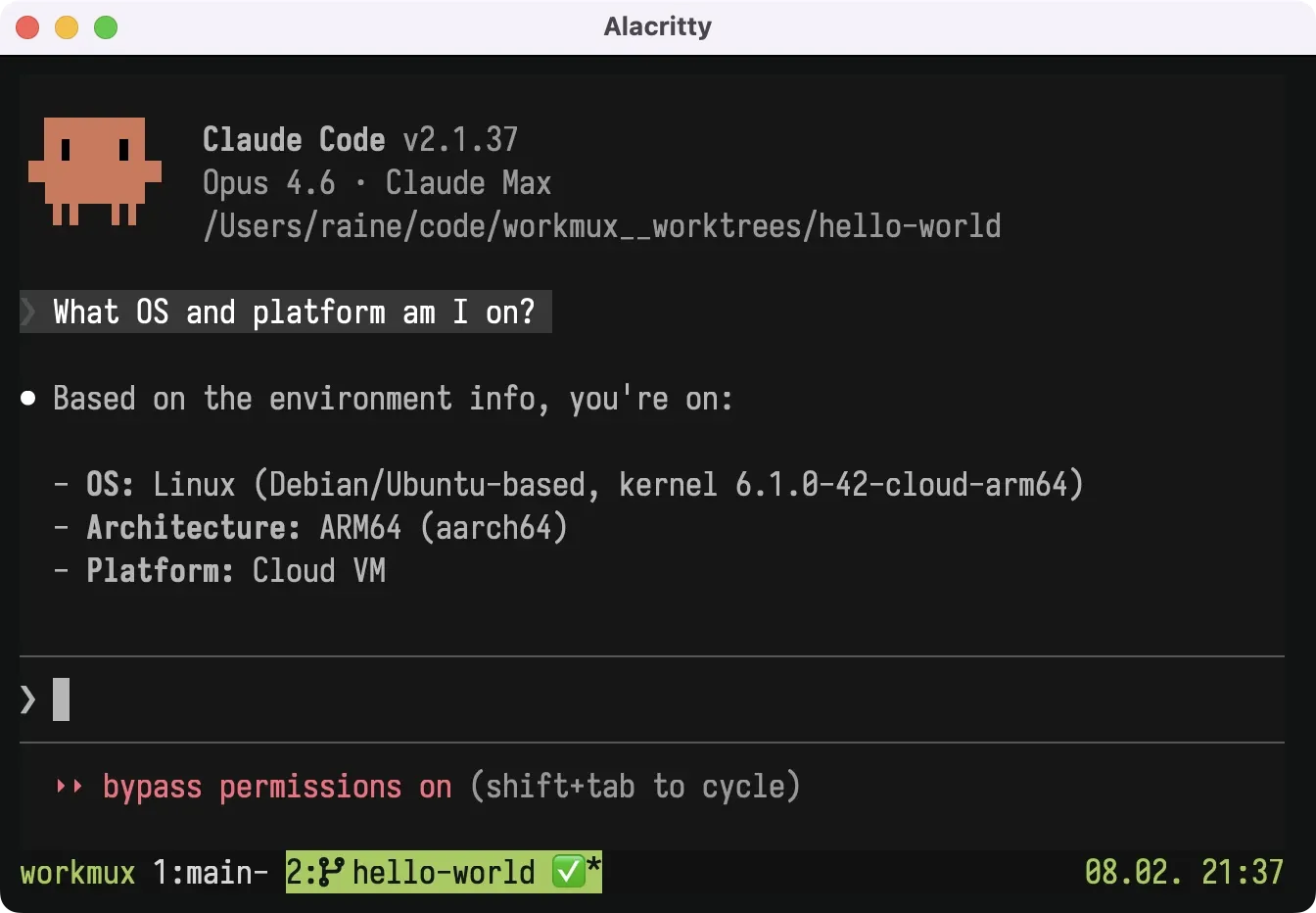
Security model
Section titled “Security model”When sandbox is enabled, agents have access to:
- The current worktree directory with read-write access
- Git operational data needed for commits, branches, merges, and rebases
- Agent settings and credentials (see credentials)
Container backends keep repository config and shared hooks read-only. Existing hooks can run inside the container, while hook setup stays in a regular host pane. Git operations on the host honor configured content filters, merge drivers, and credential helpers. Programs stored in the writable worktree remain repository content and may change during a sandbox session. See Git hooks for details.
The Lima backend uses broad writable project mounts and requires explicit acceptance of its reduced Git metadata isolation.
Agent permission prompts
Section titled “Agent permission prompts”For sandboxed agent panes, workmux automatically enables each supported agent’s
noninteractive approval mode, such as --dangerously-skip-permissions for
Claude or --yolo for Codex and Gemini. The sandbox backend, rather than the
agent’s permission prompts, is the security boundary. Agents without a known
approval flag are unchanged.
Host secrets like SSH keys, AWS credentials, and GPG keys are not accessible. Additional directories can be mounted via extra_mounts.
Outbound network access can be restricted to only approved domains using network restrictions (container backend). When enabled, a CONNECT proxy and iptables firewall work together to block unauthorized connections and prevent access to internal networks.
Choosing a backend
Section titled “Choosing a backend”workmux supports two sandboxing backends:
| Container (Docker/Podman/Apple Container) | Lima VM | |
|---|---|---|
| Isolation | Process-level (namespaces) or VM-level (Apple Container) | Machine-level (virtual machine) |
| Persistence | Ephemeral (new container per session) | Persistent (stateful VMs) |
| Toolchain | Custom Dockerfile or host commands | Built-in Nix & Devbox support |
| Credential model | Shared with host (see credentials) | Shared with host (see credentials) |
| Network | Optional restrictions (domain allowlist) | Unrestricted |
| Platform | macOS, Linux (Apple Container: macOS only) | macOS, Linux |
Container is a good default: it’s simple to set up and ephemeral, so no state accumulates between sessions. Choose Lima if you want persistent VMs with built-in Nix/Devbox toolchain support.
Adding tools to the sandbox
Section titled “Adding tools to the sandbox”Agents often need project tooling (compilers, linters, build tools) available inside the sandbox. There are several ways to provide this depending on your backend:
| Approach | Container | Lima | Details |
|---|---|---|---|
| Host commands | Yes | Yes | Proxy specific commands to the host via RPC. See host command proxying. |
| Nix / Devbox toolchain | No | Yes | Declare tools in devbox.json or flake.nix and they’re available automatically. See toolchain. |
| Custom provisioning | No | Yes | Run a shell script at VM creation to install packages. See custom provisioning. |
| Custom Dockerfile | Yes | No | Build a custom container image with your tools baked in. See custom images. |
Quick start
Section titled “Quick start”Container backend
Section titled “Container backend”Install Docker, Podman, or Apple Container (macOS 26+, Apple Silicon), then enable in config:
# ~/.config/workmux/config.yaml or .workmux.yamlsandbox: enabled: trueThe pre-built image is pulled automatically on first run. See the container backend page for details.
Lima VM backend
Section titled “Lima VM backend”Install Lima (brew install lima), then enable in config:
# ~/.config/workmux/config.yaml or .workmux.yamlsandbox: enabled: true backend: limaThe VM is created and provisioned automatically on first run. See the Lima VM backend page for details.