

Zellij
Copy pageZellij can be used as an alternative to tmux. Detected automatically via $ZELLIJ.
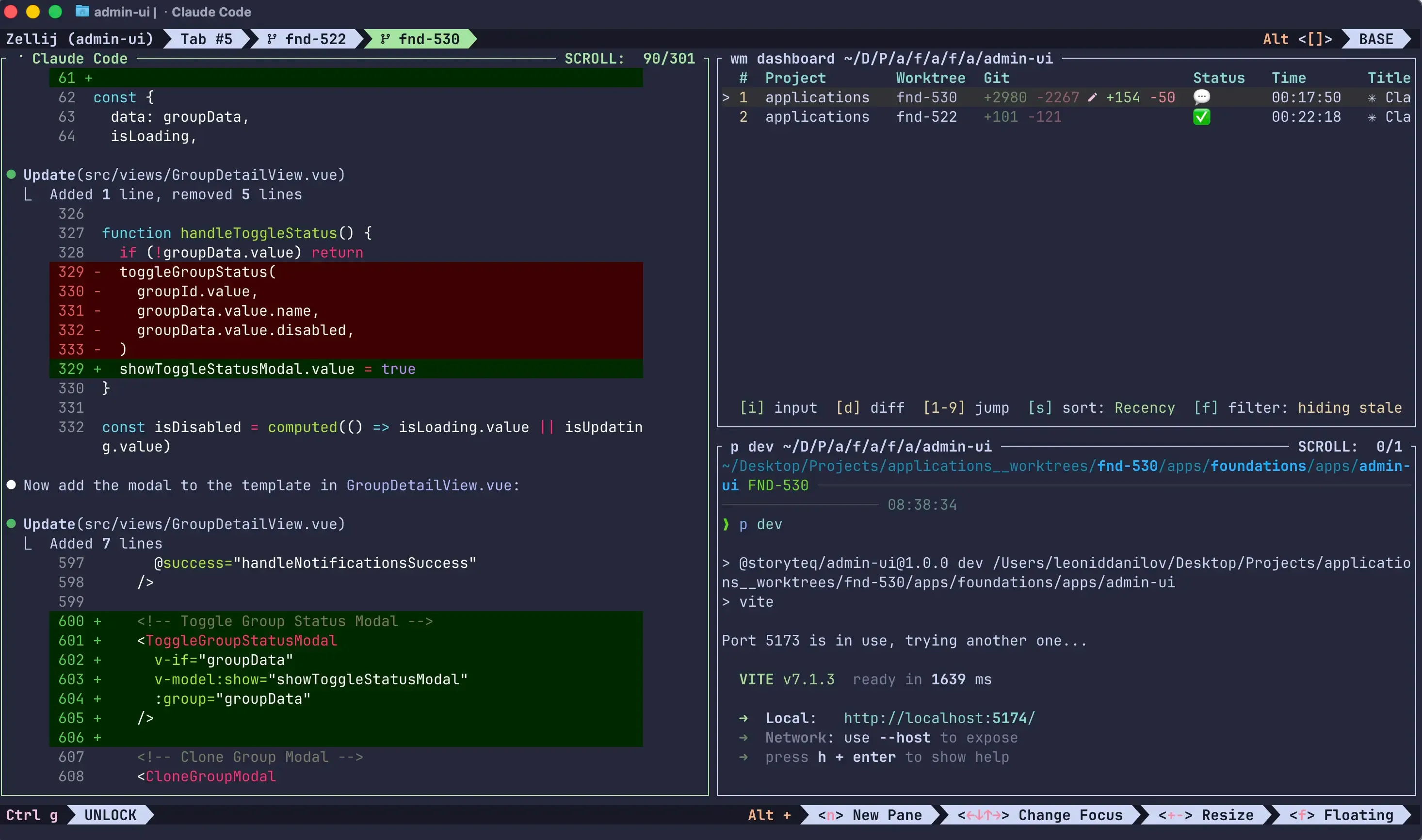
Differences from tmux
Section titled “Differences from tmux”| Feature | tmux | Zellij |
|---|---|---|
| Agent status in tabs | Yes (window names) | Yes (tab titles) |
| Tab ordering | Insert after current | Appends to end |
| Scope | tmux session | Zellij session |
| Session mode | Yes | No (window only) |
| Pane size control | Percentage-based | 50/50 splits only |
| Stacked panes | No | Yes |
| Dashboard preview | Yes | No |
- Tab ordering: New tabs appear at the end of the tab bar (no “insert after” support like tmux)
- Session isolation: workmux operates within the current Zellij session. Tabs in other sessions are not affected.
- Window mode only: Session mode (
--session) is not supported. Use window mode instead. - Pane splits: Horizontal and vertical splits are 50/50 - percentage-based sizing is not available via the Zellij CLI.
- Stacked panes: Use
split: stackedin a pane config to create a Zellij stack with the previous pane, or with the pane selected bytarget. - No dashboard preview: Zellij’s
dump-screenonly captures the focused pane, so preview in the dashboard is disabled.
Requirements
Section titled “Requirements”- Zellij built from source (uses unreleased features:
--pane-idtargeting,close-tab-by-id,go-to-tab-by-id, tab ID APIs). These will ship in a future release after 0.43. - Unix-like OS (named pipes for handshakes)
- Windows is not supported
Building Zellij from source
Section titled “Building Zellij from source”git clone https://github.com/zellij-org/zellij.gitcd zellijcargo build --release# optionally install to PATHcargo install --path .Configuration
Section titled “Configuration”No special Zellij configuration is required. workmux uses Zellij’s built-in CLI actions (zellij action) which work out of the box.
If you want to override the auto-detected backend, set the WORKMUX_BACKEND environment variable:
export WORKMUX_BACKEND=zellijZellij stacked panes are supported with split: stacked:
panes: - command: <agent> name: agent focus: true - command: just test --watch name: tests split: stacked - command: tail -f app.log name: logs split: stacked target: 0Zellij pane display names are supported with name. workmux applies them using
zellij action rename-pane --pane-id, so the pane does not need to be focused.
Agent status icons are appended to workmux tab titles. Zellij does not expose a focus hook equivalent to tmux, so waiting and done icons are replaced by the next status update rather than clearing when the tab receives focus.
Known limitations
Section titled “Known limitations”- Windows is not supported (requires Unix-specific features)
- Session mode is not supported - only window mode works
- Agent status icons do not auto-clear when a tab receives focus
- Dashboard preview pane is disabled (captures focused pane only)
- Horizontal and vertical pane splits are always 50/50 (no percentage-based sizing)
- Tab insertion ordering is not supported (new tabs always appear at the end)
- Some edge cases may not be as thoroughly tested as the tmux backend
Credits
Section titled “Credits”Thanks to Leonid Danilov for contributing Zellij support.